Navigate to a Company Record
Step 1 — Go to Companies.
Within HubSpot, go to Companies.
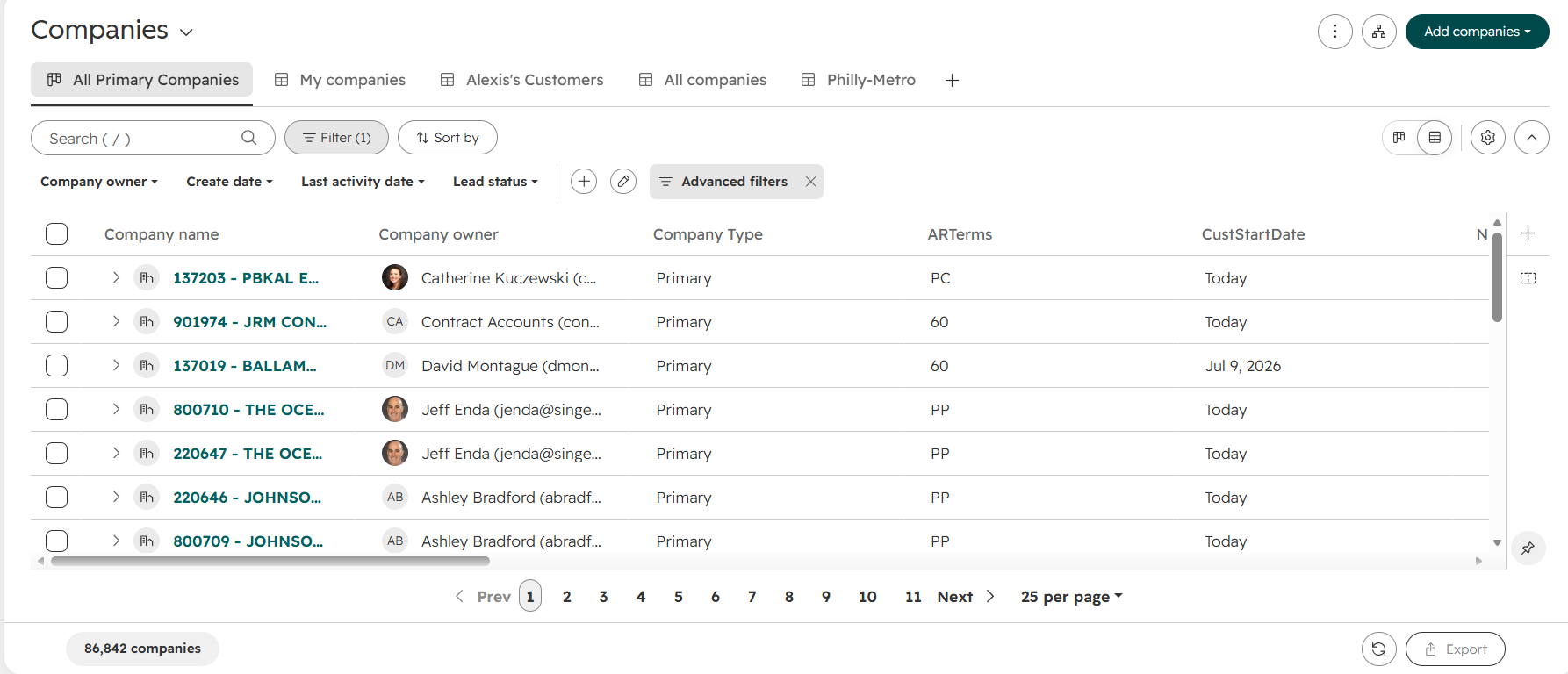
Step 2 — Find the desired company.
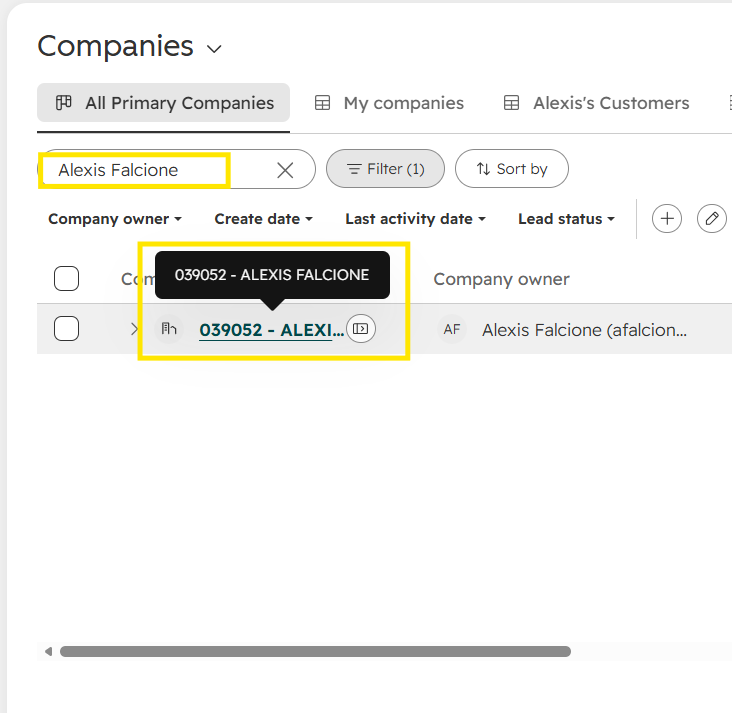
Search or type in the desired company record that you want to access.
Step 3 — Open the company record.
Click on the company record.
When you open the company record, you will see three panels: the left panel, middle panel, and right panel.
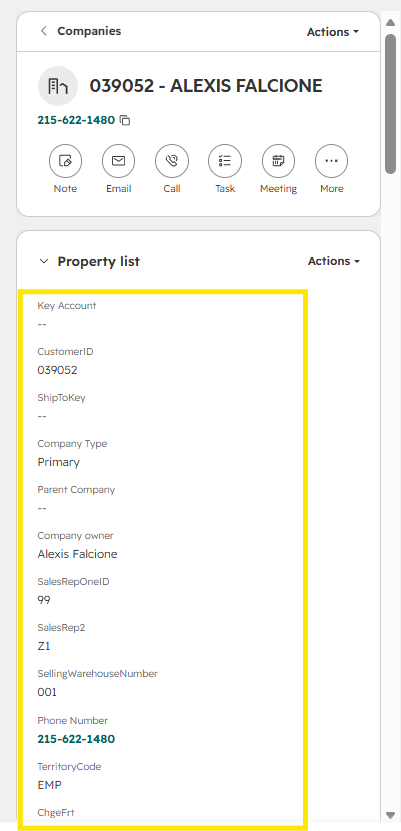
Left Panel — CI Information
The left panel contains CI information (customer information).
Use this panel to view the customer's information.
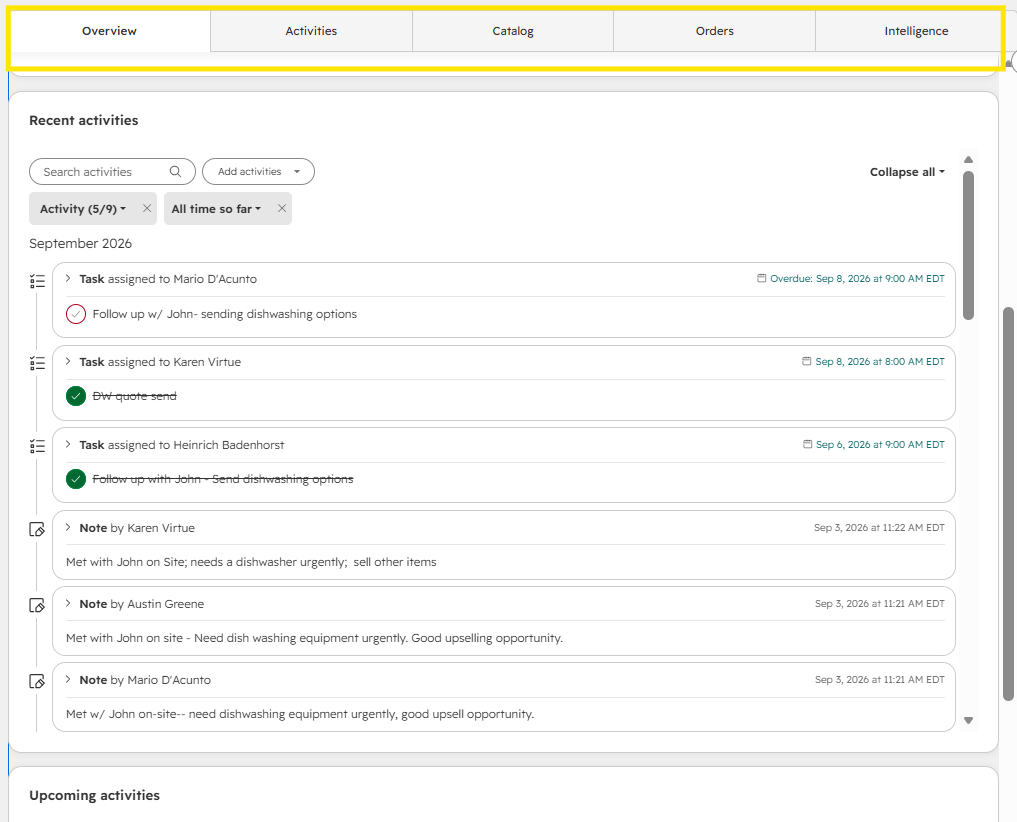
Middle Panel — Interactions and Activities
The middle panel contains all of your interactions and activities, like emails, notes and tasks, associated with the company record. You can also find Setvi tools specific to the customer, Catalog and Orders.
Right Panel — Associations
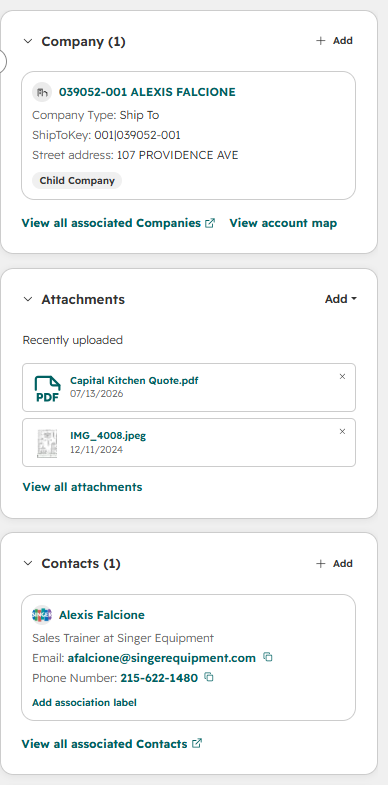
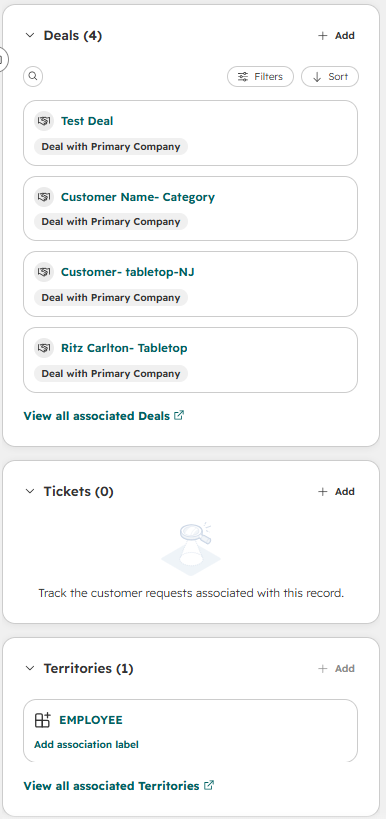
The right panel contains all of the company's associations.
Here you can find:
- Contacts
- Attachments
- Associated companies, such as the ship-to company
- Territories
- Deals