
Add a manufacturer from the AQ Catalog
Step 1 — Open the AQ Catalog.
Step 2 — Select Add Mfr from the Catalog toolbar.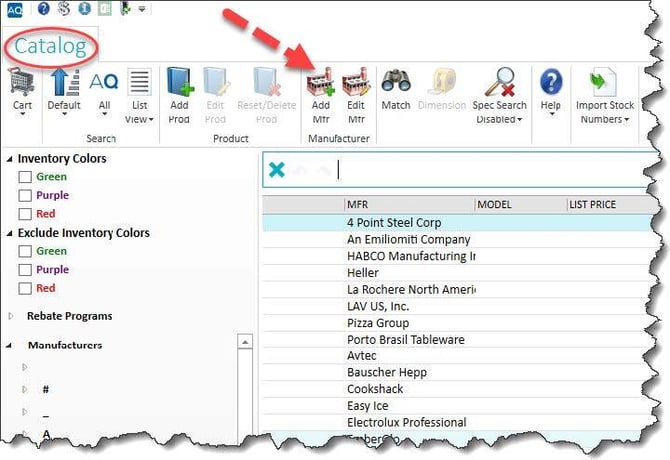
Step 3 — Enter the manufacturer Name.
Step 4 — Enter the Short Name.
Step 5 — Add any other useful manufacturer details.
Step 6 — Select the checkmark to save.
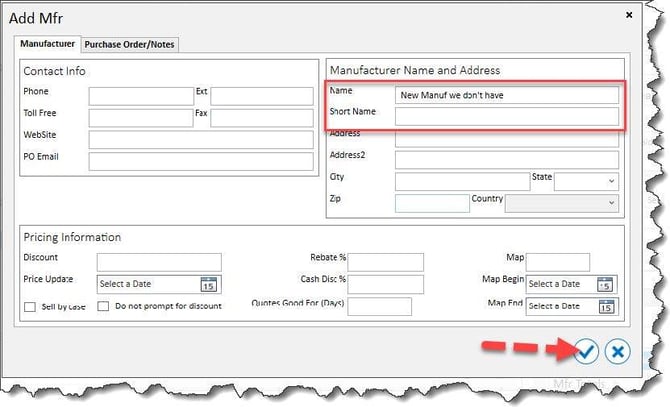
Add any additional manufacturer details that may be useful to other AQ users.
Select the checkmark to save.
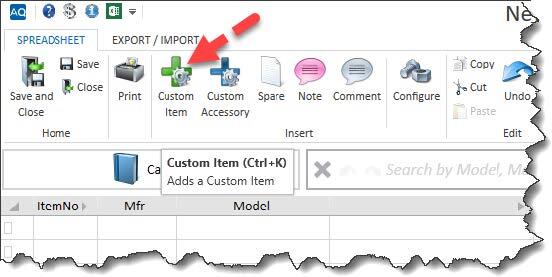
Add a manufacturer while working in a project- Open the AQ project.
- Select Custom Item from the Spreadsheet toolbar.
- Enter the manufacturer name.
- When No Manufacturers Found appears, press Enter.
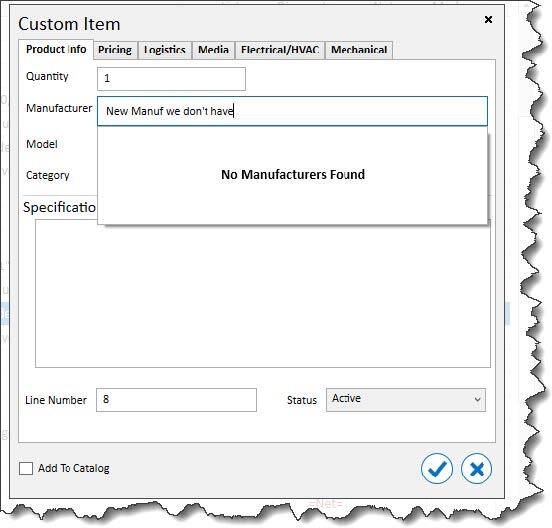
- AQ will ask whether you want to create the manufacturer. Select the checkmark to continue.
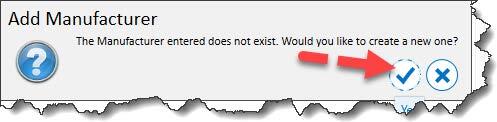
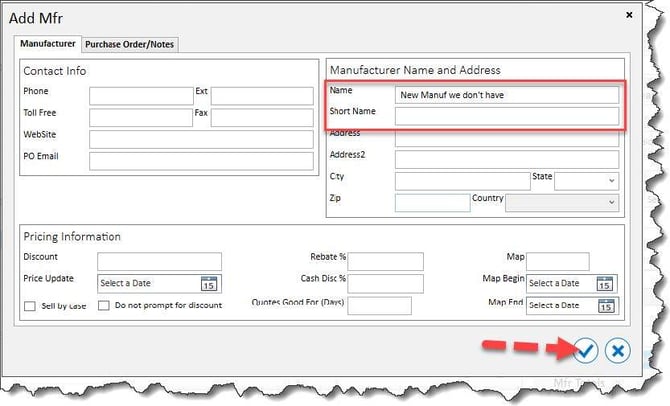
- Enter the manufacturer Name and Short Name.
- Add any other useful manufacturer information.
- Select the checkmark to save.
Before creating a custom manufacturer, confirm that the manufacturer does not already exist under a different spelling or abbreviation. Adding complete and accurate information makes the record more useful for all Singer AQ users.