Overview
Setvi includes quoting functionality that allows sales representatives to prepare quotes for customer opportunities.
Quotes can be used to organize products and pricing for a customer before an order is placed.
When to Use This
Use Setvi quoting when a customer:
- Requests pricing.
- Wants to compare product options.
- Needs a formal quote before making a purchasing decision.
- Is considering multiple products as part of an opportunity.
Step One:
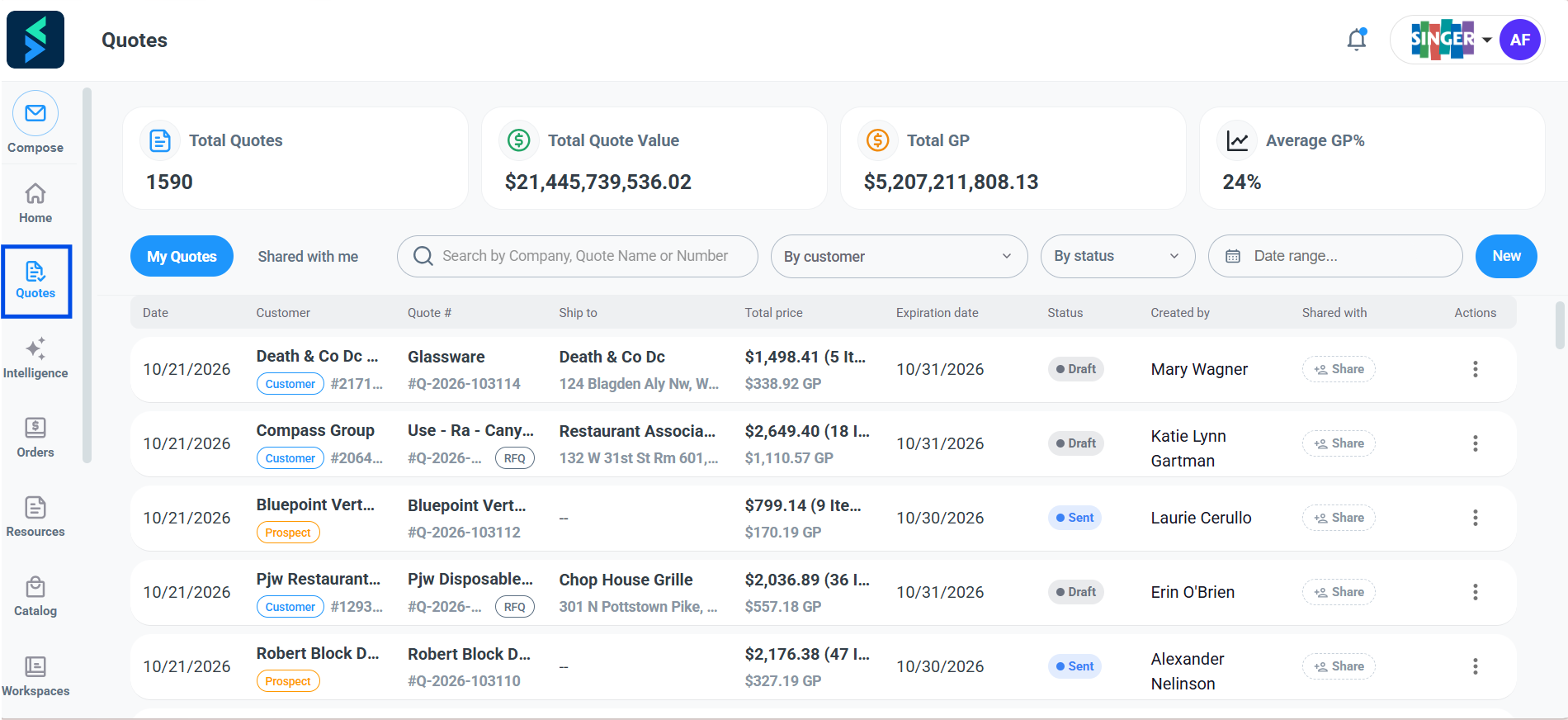
Go to Quotes in Setvi.
Step Two:
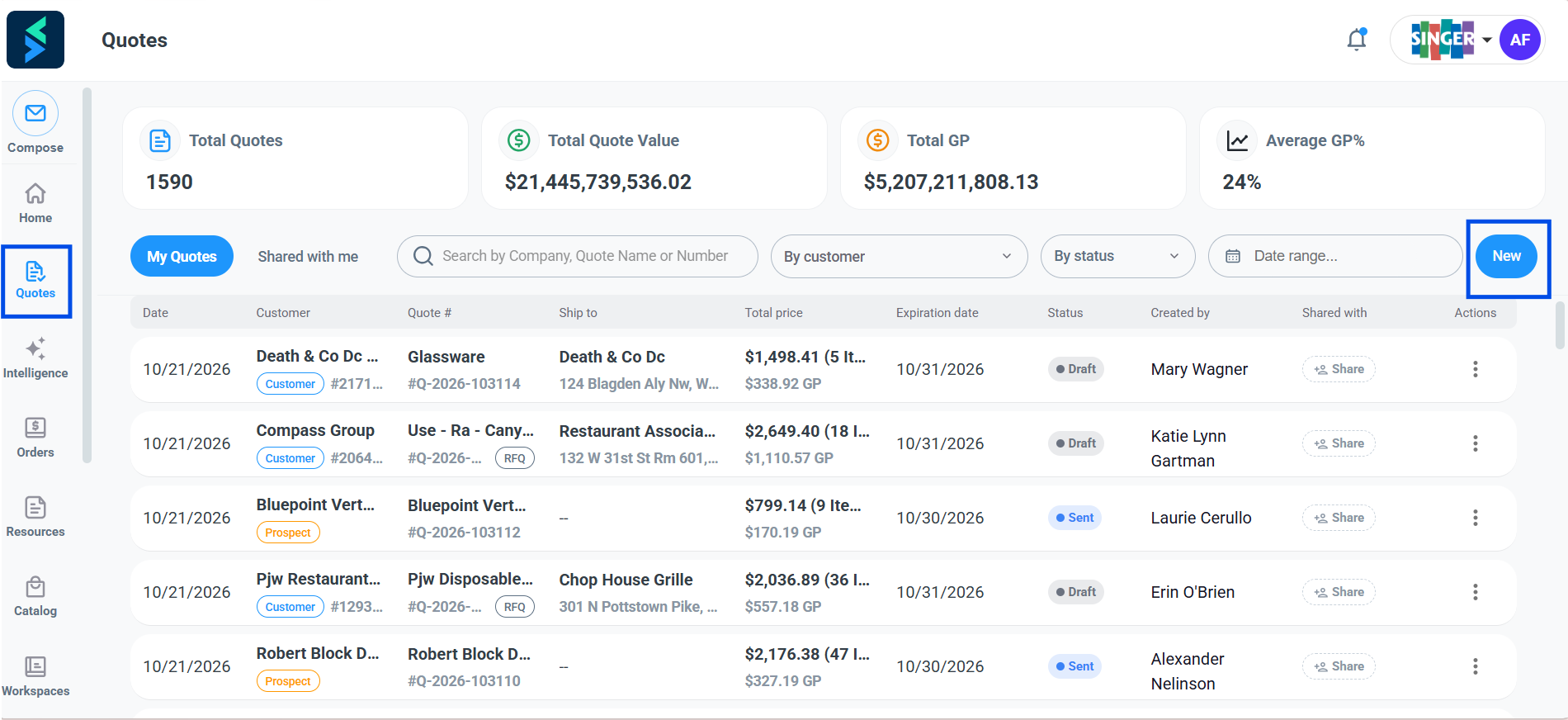
Click New to create a new quote.
Step Three:
Select Customer or Prospect depending on if the quote is for a potential or existing customer.
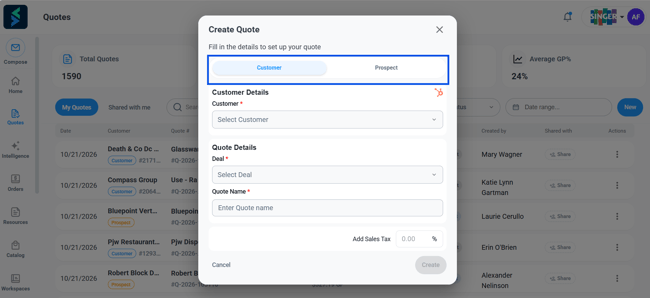
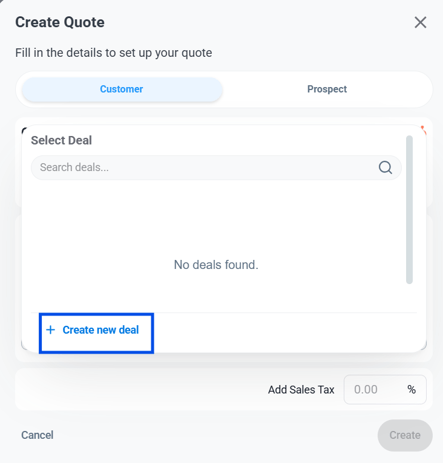
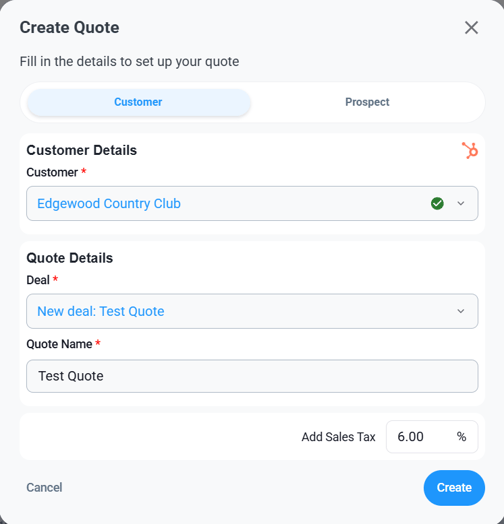
For an existing customer, select them from the drop down under Customer. Then, link the existing HubSpot deal or create a new deal by clicking Create New Deal.
Enter a quote name and add sales tax if applicable. Click Create to create quote.
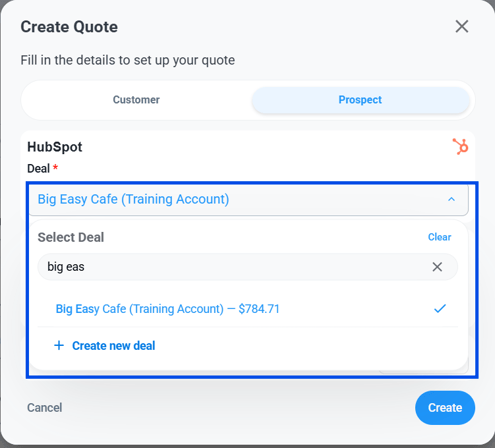
For a prospect or potential customer, select Prospect.
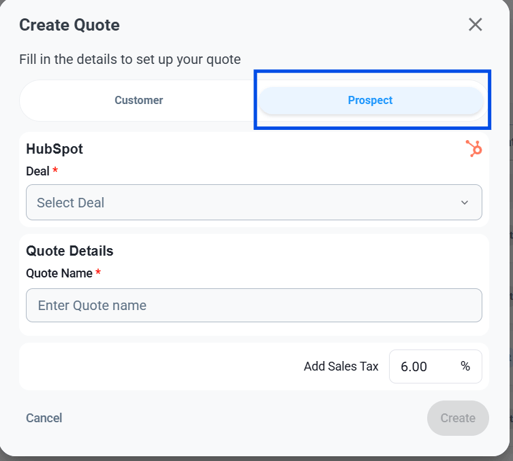
Then, link to the existing HubSpot deal or create a new deal by clicking Create New Deal. Enter a quote name and add sales tax if applicable. Click Create to create quote.