
Overview
Setvi allows sales representatives to access previously created quotes to review customer opportunities, reference pricing, make updates, and continue customer follow-up.
When to Use This
Use the quote management area when you need to:
- Find a previously created quote.
- Review an open opportunity.
- Update a customer quote.
- Reference pricing previously provided.
- Continue customer follow-up.
How to Find Your Quotes
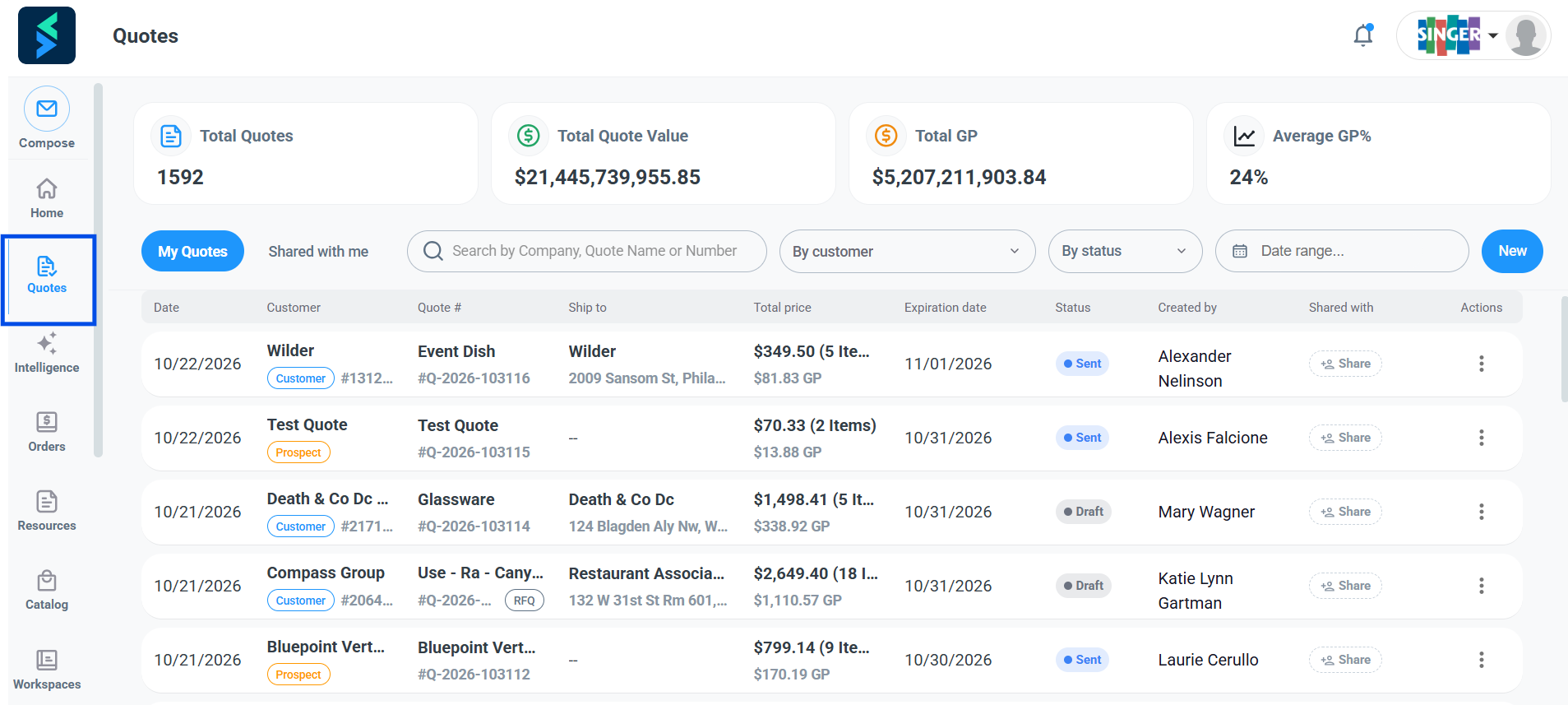
Step 1 — Open Quotes.
Navigate to Quotes in Setvi.
Step 2 — Select the quote view.
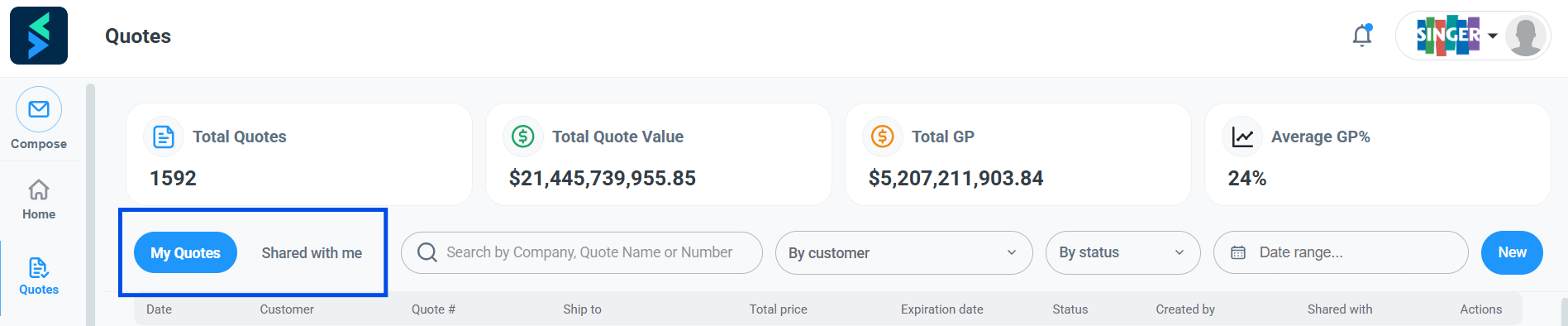
Choose the appropriate view:
- My Quotes: Displays all quotes you have created.
- Shared With Me: Displays quotes shared with you where you are a collaborator rather than the quote owner.
How to Search and Filter Quotes
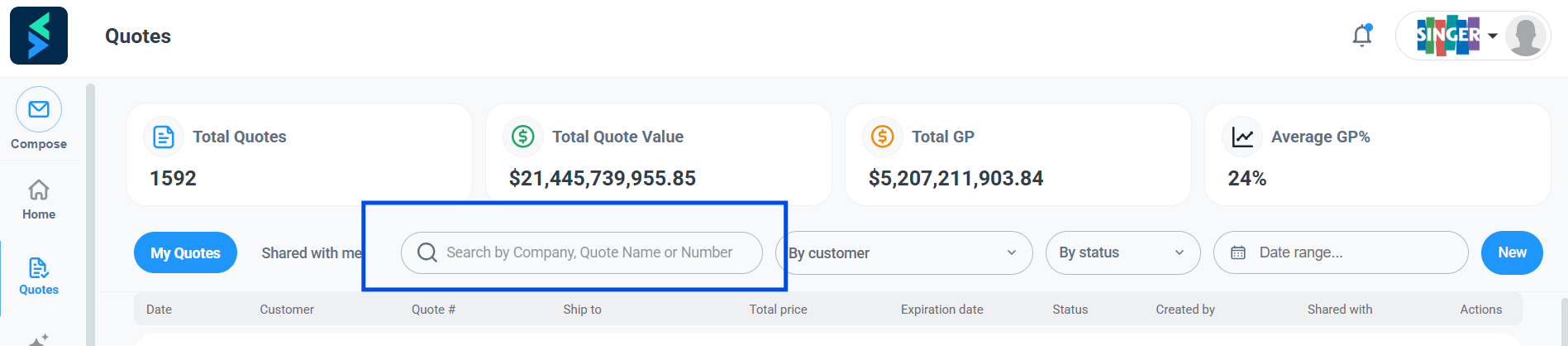
Step 3 — Search for a quote.
You can search for an existing quote using:
- Company or customer
- Quote number
- Prelude number
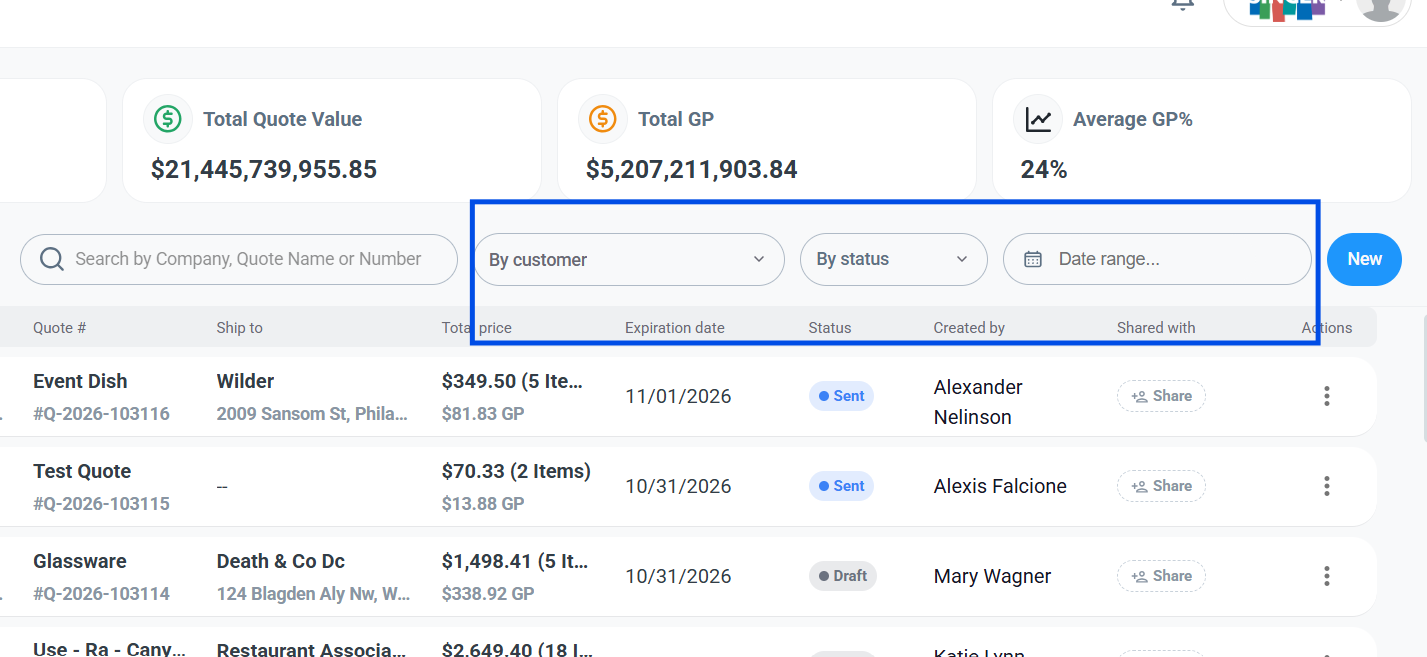
Step 4 — Filter your quotes.
Click the dropdown to filter quotes by:
- Customer
- Quote status
You can also filter quotes by the date range in which they were created.
How to Review Quote Metrics
At the top of the Quotes area, Setvi displays summary metrics for your quotes.
These include:
- Total Quotes: Total number of quotes created.
- Total Quote Dollar Value: Total dollar value of quotes.
- Total GP Dollar Value: Total gross profit dollar value.
- Average GP Percentage: Average gross profit percentage.
