
Install the HubSpot Sales Add-In in Old Outlook
Step 1 — Search for HubSpot.
Open Apps in Outlook and search for hubspot.
Select HubSpot Sales from the search results.
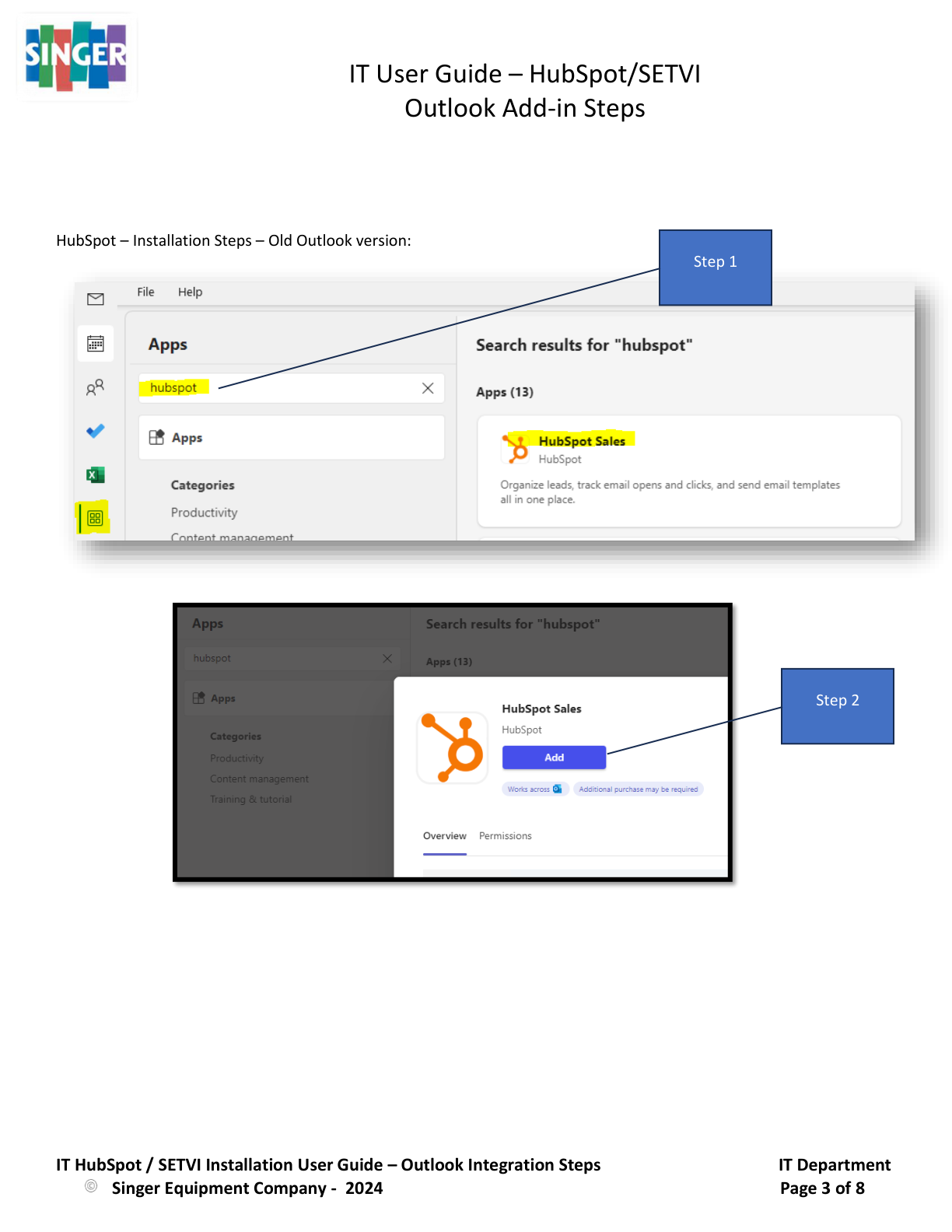
Step 2 — Add HubSpot Sales.
Select Add for the HubSpot Sales application.
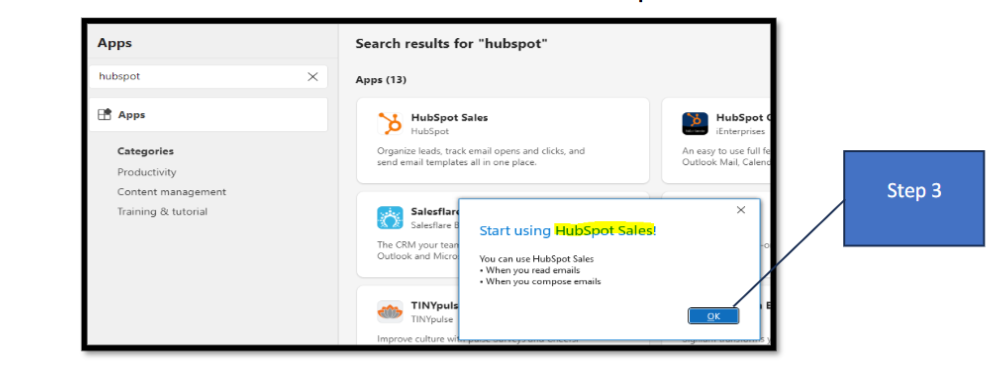
Step 3 — Complete the installation.
When the Start using HubSpot Sales! message appears, select OK.
Step 4 — Open HubSpot Sales in an email.
When composing an email in Outlook, open Apps and select HubSpot Sales.
The HubSpot Sales Add-In will open on the right side of the email.
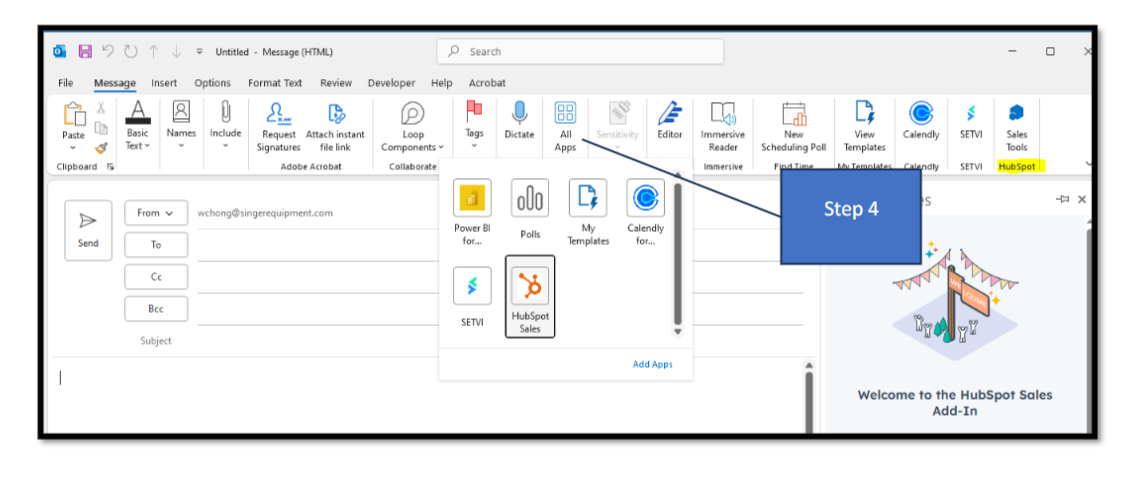
The old Outlook HubSpot procedure is shown across pages 3–4 of the source, with Steps 1–2 covering the HubSpot Sales search and Add action and Steps 3–4 showing the installation confirmation and HubSpot Sales Add-In inside an Outlook email.