
Job Aid: Order Acknowledgement
Order Acknowledgement
This is used to print a copy of an order, either for a customer or the warehouse. Slash command /AKP.
Step by Step Process
Step 1 — /AKP
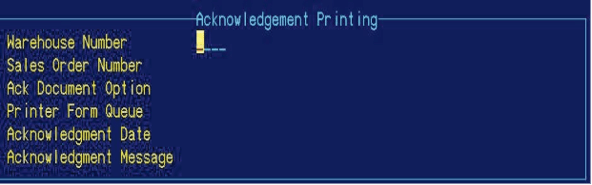
Step 2 — Enter warehouse number.
Step 3 — Enter order number.
Step 4 — Y for print.
Step 5 — Enter printer number.
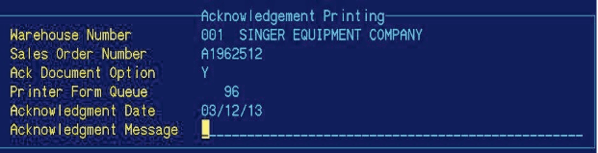
Step 6 — Print-enter.

Step 7 — Process-enter.
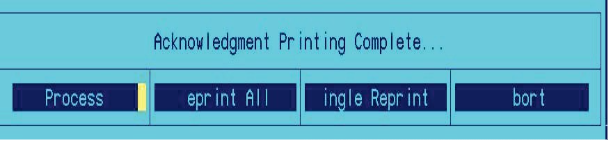
Step 8 — Y for processing.
