
This is our preferred method of AQ Quote Acceptance.
Firstly, the quote must be sent using the “Send For Signature” option. This is the only way that the quote will have the e-signature acceptance option included.
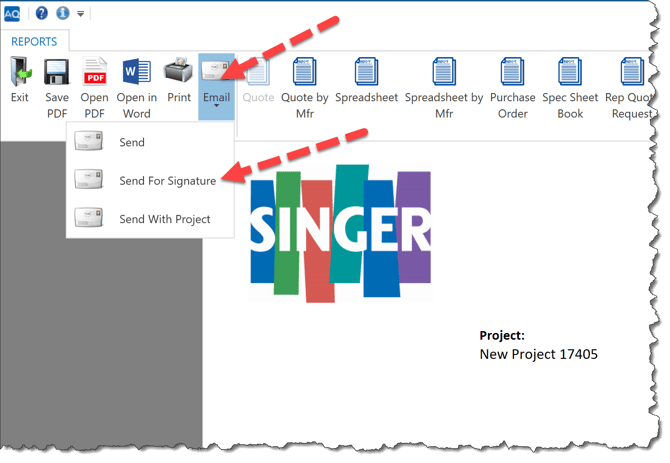
When this option is selected, a link is emailed, not a PDF, and the e-signature option is embedded in the document in that link.
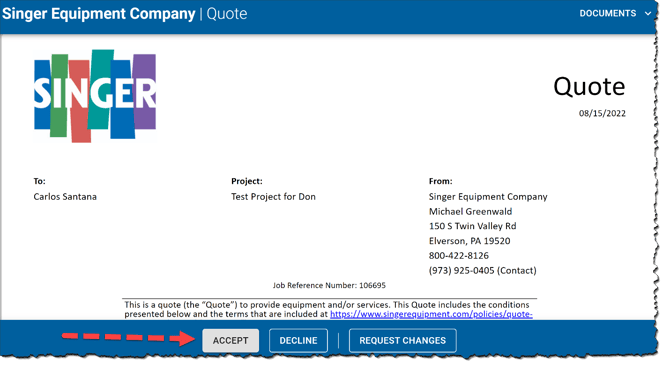
The sender, or AQ user, is notified by return email whether the customer:
- Accepts
- Declines
- Requests Changes
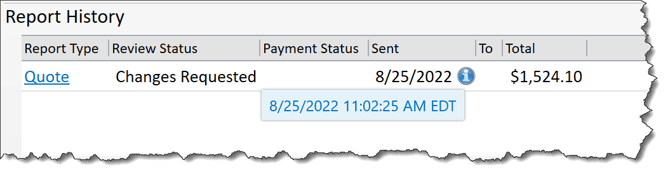
Requested changes are detailed on the quote.
You will see this detailed and time stamped in the Report History in the Project Details Panel.
Watch the Video: