Send an Email in HubSpot
Emails are a powerful tool for managing communication with leads and customers. The platform allows users to create, send, and track emails seamlessly, integrating them with the CRM for enhanced visibility and efficiency.
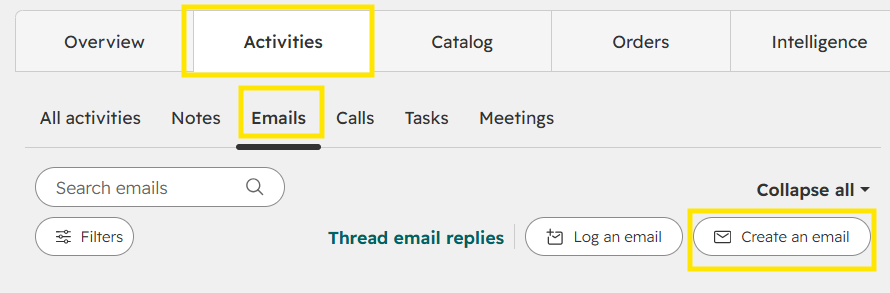
Step 1 — Go to the Activities.
On the company record, go to Activities.
Click on Email and Create an Email.
Step 2 — Enter the recipients.
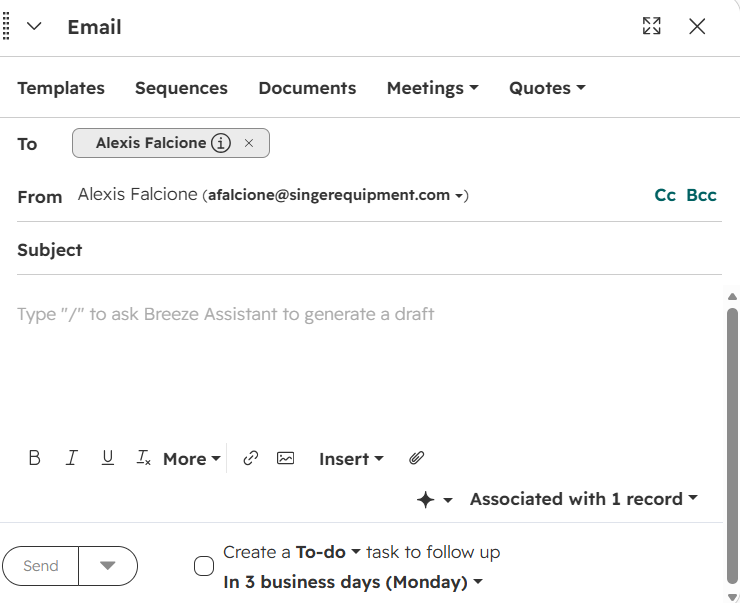
Enter external or internal recipients in the To field.
Your email will auto populate in the From field.
Step 3 — Enter the email subject.
Insert the email subject.
Step 4 — Enter the email message.
Insert the email message.
Email formatting tools and the company associated with the email are available.
Step 5 — Send the email.
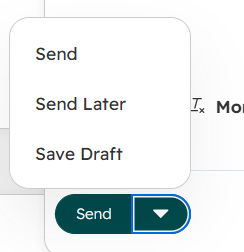
Click Send to send the email.
Click the dropdown to send the email at a later time, similar to schedule send in Outlook.