
Overview
The Ask AI feature in the Setvi Catalog provides additional ways to find products when a traditional keyword search may not be enough.
Ask AI allows you to search for products using three different methods:
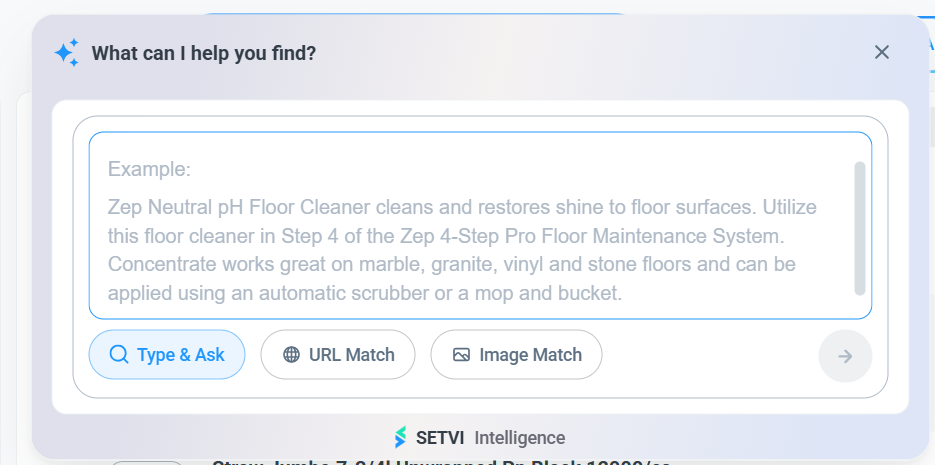
- Type & Ask: Search using a product description or customer need.
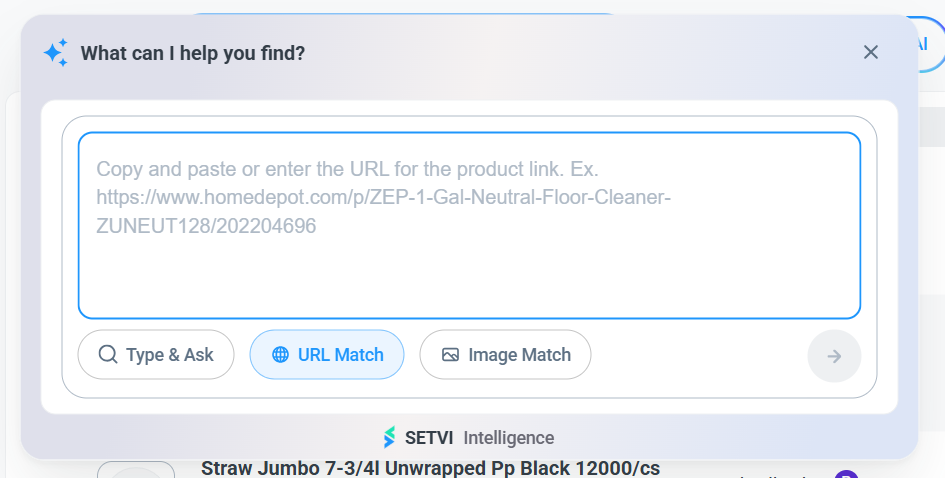
- URL Match: Search using a product URL.
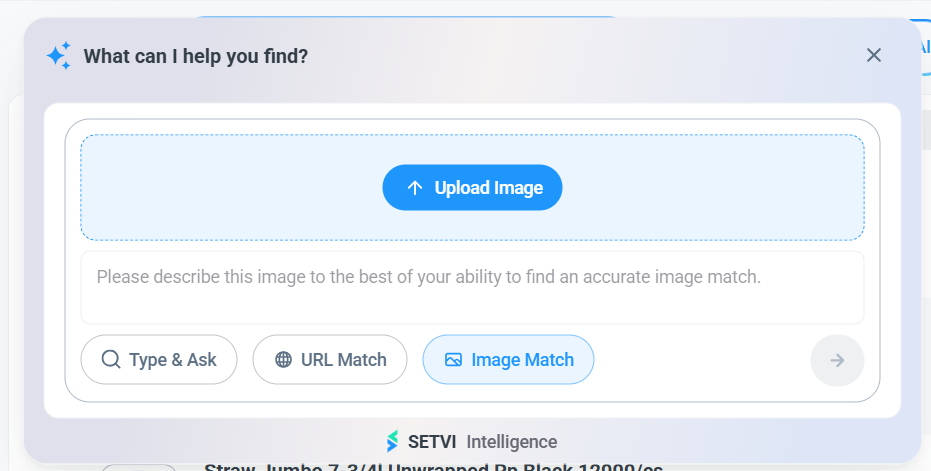
- Image Match: Search using an uploaded product image.
How to Open Ask AI
Step 1 — Open the Catalog.
Navigate to the Catalog in Setvi.
Step 2 — Select Ask AI.
Click Ask AI at the top of the page.

The What can I help you find? window will open.
Option 1: Type & Ask
Use Type & Ask when you can describe the product you are looking for.
Step 3 — Enter a product description.
Enter information about the product or customer need and submit the request.
This is helpful when you know what type of product you need but do not know a specific SKU or manufacturer number.
Option 2: URL Match
Use URL Match when you have a link to a product and want to search for a corresponding product in Setvi.
Step 4 — Select URL Match.
Select URL Match.
Step 5 — Enter the product URL.
Paste the available product URL into the search area and submit the request.
Option 3: Image Match
Use Image Match when you have a picture of the product you are trying to identify.
Step 6 — Select Image Match.
Click Image Match.
Step 7 — Select Upload Image.
Click Upload Image.
Step 8 — Upload the product image.
Upload the image of the product you want to identify.
Step 9 — Add a description when helpful.
You can add a description to improve the accuracy of the match.
Step 10 — Submit the search.
Submit the image search request.
Helpful Tip
Provide as much useful information as possible when using AI search.
Details that can help improve the results returned include:
- Product type
- Size
- Material
- Intended use
- Distinguishing features